How Revenue Teams Use Pagoda to Move Faster, Smarter
One platform. Three critical workflows. Zero surprises.
.avif)

One platform. Three critical workflows. Zero surprises.
A holistic view of your pipeline with AI Alerts. See deal health instantly with tags like “Low Contact Coverage” or “Stalled Opportunity. Pipeline reviews become faster, no CRM digging, just clear priorities.
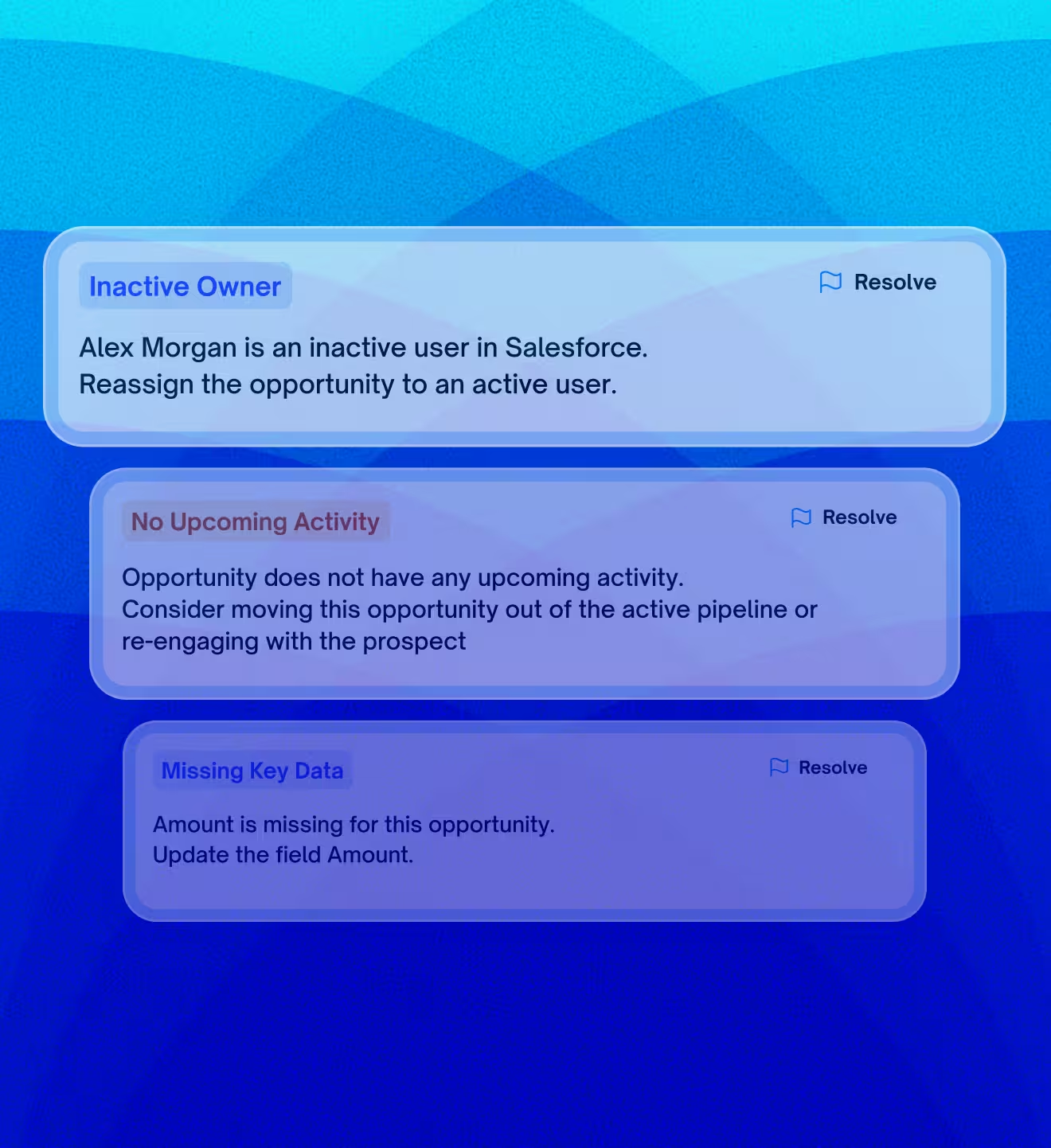
Instantly see which deals are flagged as at risk without digging into each record. Pagoda calls out the problems for you (e.g., low activity, pushed close dates).
Reps and managers can sort or filter deals by health and risk level. Spend time where it matters most – on deals that need attention now.
Update deal stage, next step, or close date directly in the table. Pagoda keeps Salesforce up to date for you.
See every stage change, engagement update, and timeline milestone to understand how a deal has evolved.
Pagoda’s Signal Engine scans for deal risk patterns, and you control the triggers. Leverage a pre-built catalog of sales process adherence rules, adjust thresholds, and toggle them on/off. AI suggests sensible settings from your history, so alerts match your process and are always explainable.
Pagoda comes with a library of proven risk signals based on best practices (inactivity, lack of next steps, stakeholder issues, etc.), so you start getting value on day one.
Fine-tune the signals to fit your business. If “14 days inactive” is too long for your velocity, tighten it to 7 – you decide what “risk” means for your team.
For each alert, you can click to see why it was triggered. No black boxes – if Pagoda says a deal is at risk due to low engagement, you’ll see the engagement history that led to it. This builds trust in the alerts and helps you take the right action.
Data Hygiene
Overdue Close Date
Inappropriate Probability Weighting
Missing CRM Data
Deal owner is inactive
Engagement Level
Absence of Seller Activity in X Days
No Planned Next Step
No Contact with Decisionmaker
Low Contact Coverage
Funnel Behavior
Repeated Close Date Pushes
Irregular Funnel Stage Progression
Outlier Duration in Pipeline vs Typical Sales Cycle
Abnormal Deal value vs Historical Average
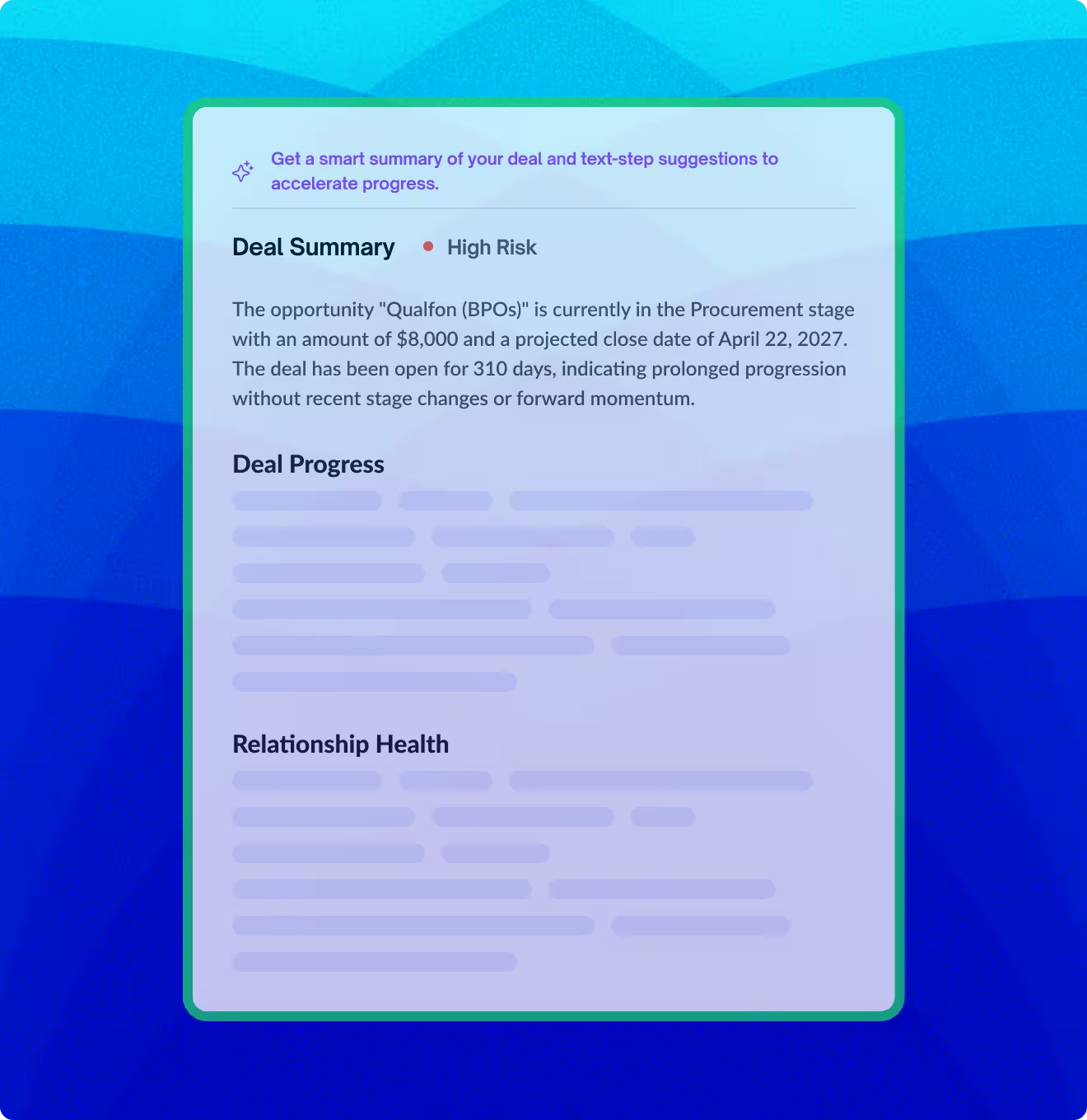
Pagoda’s AI Deal Health Summaries pull together every risk signal, stakeholder pattern, and piece of company context—so you don’t need to dig through CRM fields or Slack threads. You get one shared understanding of deal momentum, relationship depth, and buyer intent, powered by AI and refreshed in real time.
AI-written Deal Summary
Natural language write-up explaining where the deal stands and what issues exist (e.g. lack of movement, low engagement).
Full Deal Timeline + Risk Signals
Days open, cycle time, stage change history, and active alerts all visible with high-risk callouts.
Benchmarking and Deal Size Ranking
Shows how the deal compares to others by size and velocity across your pipeline.
AI-Generated Next Steps (7d/30d)
Specific, tactical suggestions based on deal progression patterns and stakeholder engagement.
Coverage Score
Quantitative rating of how well your team is connected to decision-makers and influencers.
Account + Opportunity Contact Mapping
Quickly see which contacts are tied to the deal vs. the broader account, with roles and email activity visible.
Recommended Relationship Actions
Guidance on who to reach out to and how to build stronger stakeholder coverage.
Company Overview & Products
Summarized from web and internal sources to give you the “cheat sheet” on your target.
Recent News & Activity
Pulled from trusted third-party sources to support outreach and align with external signals (e.g. new funding, exec changes).
Strategic Locations + Industry Tags
Add depth to your conversations and proposal positioning without additional research.
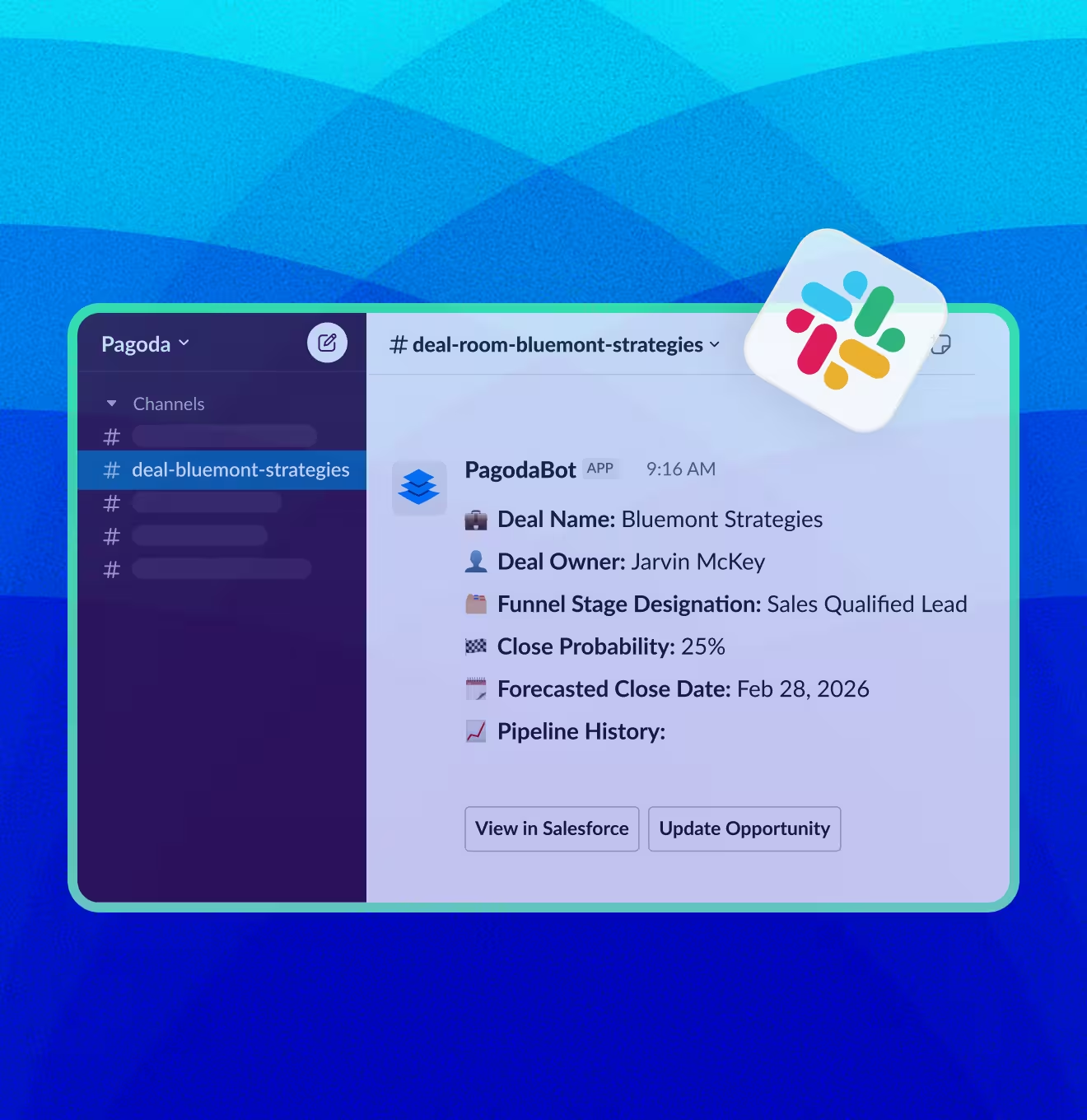
Pagoda transforms Slack into a structured deal collaboration layer. Instantly create a dedicated channel for any opportunity, automatically populated with key context, alerts, and updates that evolve in real time as the deal moves forward.
No more scattered emails or “did you see that note?” moments. Each deal gets a dedicated Slack channel where deal context is shared automatically by Pagoda. It’s a single source of truth for internal deal communications.
When a deal is in trouble, the team can swarm immediately. Mentions and notifications in Slack ensure that a sales engineer, executive sponsor, or anyone needed can jump in quickly to assist or strategize.
Pagoda enables users to update CRM fields directly in Slack without ever having to open Salesforce. As a result, maintaining CRM data quality goes from a tedious project to a frictionless part of a seller’s daily workflow.
A single pane of glass for understanding pipeline health and promoting sales process discipline.
View weighted vs unweighted pipeline value and total count of open opportunities for any record type over a selected time period.
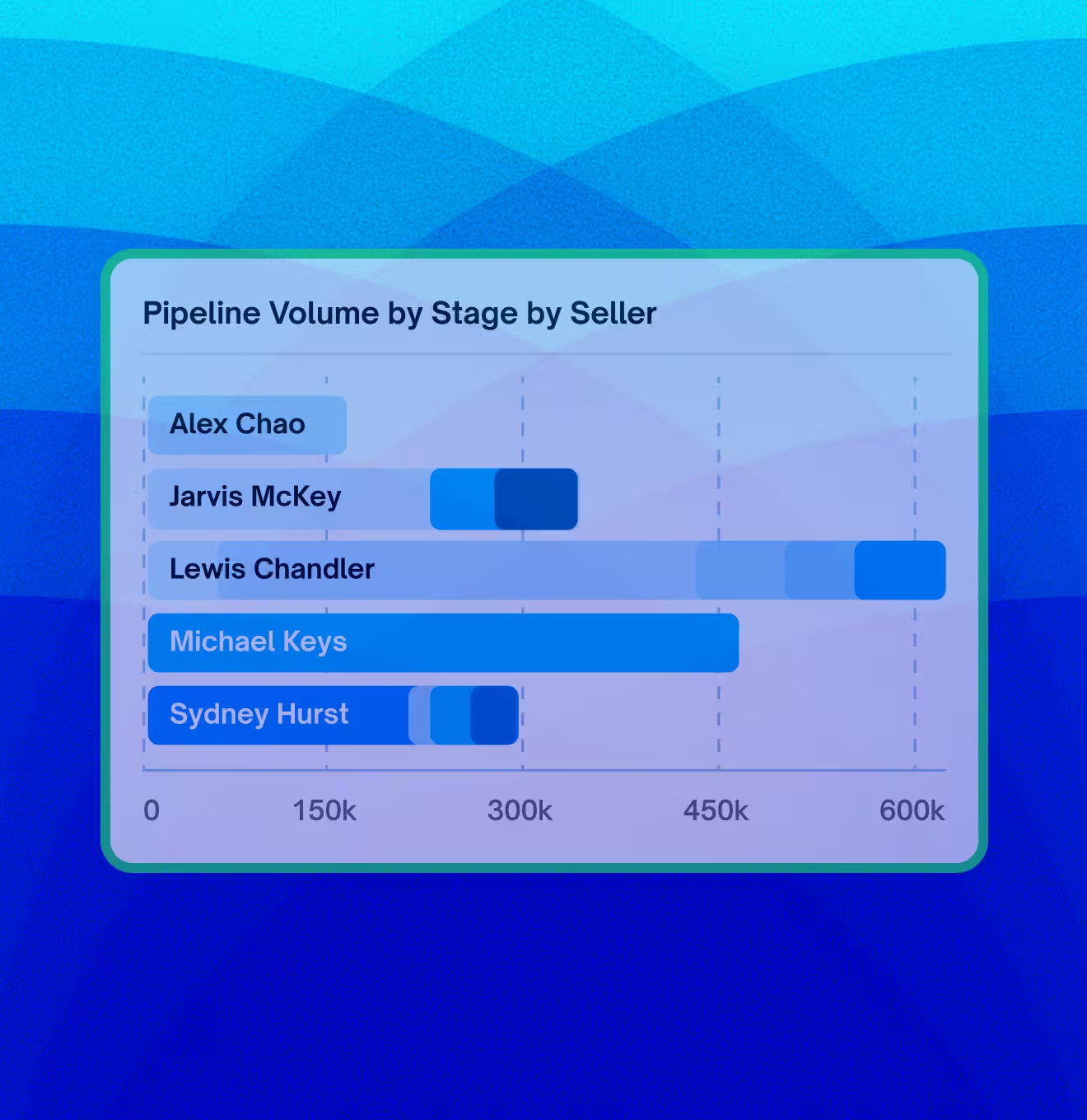
Compare pipeline ownership and funnel stage distribution by seller to identify imbalances, bottlenecks or coaching needs.
Compare pipeline ownership and stage spread by seller to identify imbalances, bottlenecks, or coaching needs.
Track which alert types are being triggered most frequently to spot systemic issues.
See which reps are triggering the most alerts, segmented by type, to focus enablement where it matters most.
Identification isn’t just a fancier report, it changes how your pipeline reviews feel and how confident you are in your forecast.

Pagoda turns your pipeline into a source of truth you can trust. Spot risks and address them early, so you’re never blindsided at the end of the quarter. Predictable revenue is finally within reach.
By bringing deals, insights, and actions into Slack, Pagoda unites everyone—from sales reps to execs—around what matters: closing deals. Say goodbye to siloed efforts and hello to true team alignment in real time.
Sales teams shouldn’t have to dig through dozens of deals just to understand what’s going wrong. Pagoda surfaces at-risk opportunities automatically, removing the burden of manual analysis and freeing up time to focus on the actions that actually drive deals forward.
Pagoda runs on top of Salesforce, plugs into Slack and adapts to your sales motion. No lengthy implementation period or setup headaches.
Didn’t find the answer you are looking for?
Contact our support
What’s required to get up and running?
Can we build our own sales process adherence rules?
How often are AI deal summaries updated?
Does Pagoda create new Slack channels for every deal?
Can we export data from the KPI & Metrics dashboard?
Start with one team, see how much risk has been hiding in your current pipeline views, and decide if you want Pagoda across the rest of your org.